
QUICK ANSWER
n8n and Make both handle multi-step automation, but they differ in billing, hosting, integrations, and workflow design. The practical choice depends on whether you prioritize a visual hosted experience, self-hosting, AI-heavy workflows, or the way your workflow volume is measured and billed.
Key Takeaways
- Compare the billing unit—n8n executions versus Make credits—against the actual structure of your workflows.
- Make emphasizes a visual hosted builder, while n8n offers self-hosting and deeper infrastructure control.
- For AI-heavy workflows, compare the available AI, agent, API, and data-handling capabilities for your specific use case.
- Pricing and feature limits change, so verify current plans and limits before making a purchase decision.
If Zapier is the beginner-friendly option, n8n and Make are the two tools competing for the same next tier of user — people who’ve outgrown simple two-step Zaps and need real branching logic without writing a full application. Having run both in production, here’s where they genuinely differ.
Billing Model: Executions vs Credits
- n8n charges per execution — one full workflow run, regardless of how many nodes it contains.
- Make charges per credit (operation) — every individual module action (a Google Sheets write, an API call, one loop iteration) consumes one credit. A workflow with 6 modules run 1,000 times burns roughly 6,000 credits.
This means Make’s advertised “1,000 free operations” disappears much faster than it sounds once your scenario has more than 2-3 modules, while n8n’s execution-based free tier (self-hosted) has no volume ceiling at all.
Pricing Side-by-Side
| n8n | Make | |
|---|---|---|
| Free tier | Unlimited (self-hosted) | 1,000 credits/mo (hosted) |
| Entry plan | ~$20-24/mo (2,500 executions) | ~$9-11/mo (10,000 credits) |
| Mid-tier | ~$50-60/mo (10,000 executions) | ~$16-19/mo (10,000 credits, priority) |
| Integrations | 400+ | 2,000+ |
Both vendors update pricing regularly — confirm current figures on their official pricing pages before deciding. Numbers above reflect 2026 approximations.
On paper, Make’s hosted entry plan looks cheaper than n8n Cloud. But because Make counts every module as a credit, a workflow-heavy operation can burn through 10,000 credits far faster than 2,500 n8n executions would be consumed by the equivalent workflows.
Visual Builder Experience
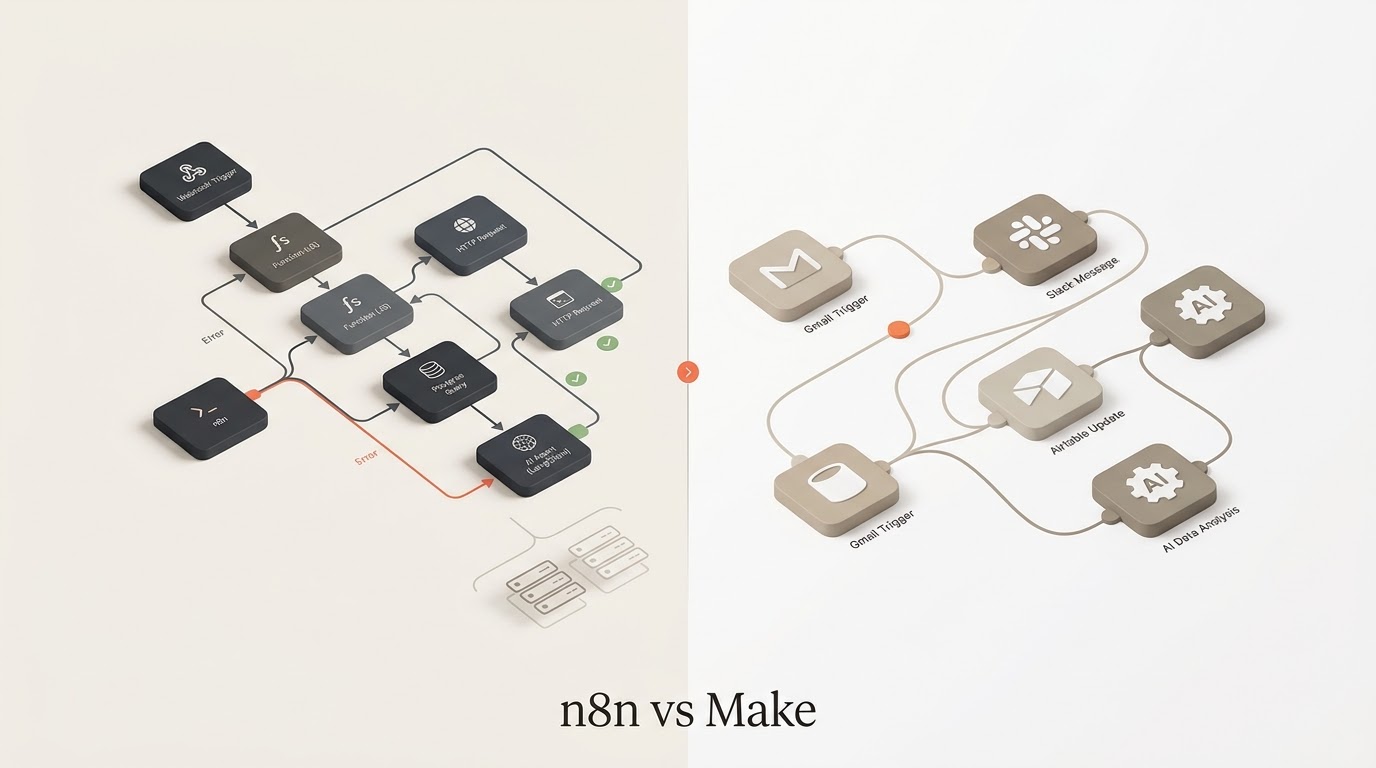
Make’s canvas is widely considered more visually polished — circular nodes connected by clean flowing lines make it easier to see your automation’s shape at a glance. n8n’s canvas is more utilitarian and boxier, but arguably easier to debug since each node’s input/output data is inspectable inline as you build.
Code Access and AI Workflows
This is n8n’s clearest advantage. It ships native LLM, vector store, and AI agent nodes designed specifically for building autonomous, decision-making workflows — not just data-moving ones. Make offers a code module too (2 credits per second of execution), but its AI tooling feels bolted on rather than built-in.
If your roadmap includes AI agents, RAG pipelines, or LLM-driven decision branches, n8n is the more natural fit.
Self-Hosting
n8n is fully open-source and can be self-hosted for free with no execution cap. Make is closed-source and hosted-only — there is no self-hosted option at any price. If data residency, cost control at scale, or full infrastructure ownership matter to you, n8n is the only one of the two that offers it.
The platform choice should follow the process, not the other way around. Start with the AI Automation Assessment to identify the work worth automating, then use the AI Workflow Builder to map the implementation before comparing n8n and Make on cost and infrastructure.
Which One Should You Choose?
Choose Make if: you want the most visually intuitive builder, your workflows are lighter (fewer modules per scenario), and you don’t need self-hosting or heavy AI-agent functionality.
Choose n8n if: you want the option to self-host, you’re building AI-driven or agent-style workflows, or your scenarios involve many modules per run where credit-based billing would add up fast.
Curious how both stack up against the market leader? Read our n8n vs Zapier comparison. For practical automation resources, explore our AI Tools & Automation hub and free automation templates. If you’re designing AI-driven workflows, the AI System Prompt Generator can help structure the instructions behind your automation.
Disclosure: Some links on this page are affiliate links. If you sign up through them, we may earn a commission at no extra cost to you.
Keep Exploring
- n8n Review — start with the platform overview.
- n8n vs Zapier — compare another automation model.
- Inventory Alerts with Make — see a concrete production workflow.
- Tools & Automations — browse practical workflow examples.
- Resources — find templates and implementation guides.
Build and Estimate Your Automation
Turn an automation idea into a practical workflow blueprint, then estimate its usage and cost before you build it.
Explore Free AI Tools
Use the Free AI Tools hub to move from research to a practical automation plan.
Practical Checks Before You Commit
- Confirm the tool or platform supports the integrations your workflow actually needs.
- Test the smallest useful workflow before paying for a larger plan or migrating production work.
- Check current pricing, limits, and usage rules before estimating long-term cost.
- Keep a human fallback for important customer, financial, or operational actions.