
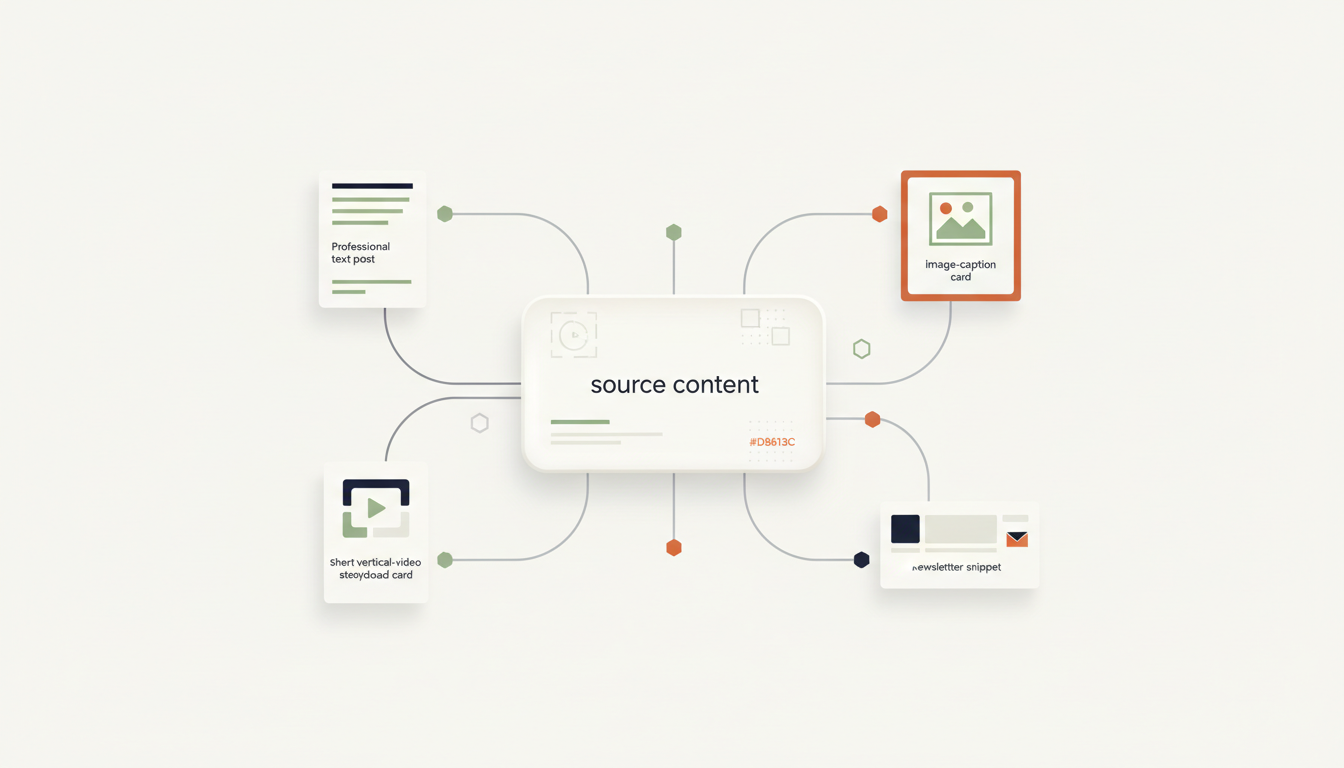
One useful blog post, webinar, podcast, or product update can become several pieces of content—but only when each version is adapted for its destination. Simply copying the same caption everywhere often creates awkward formatting, mismatched calls to action, and posts that do not suit how people use each channel.
A content-repurposing workflow starts with one approved source, extracts the key ideas, drafts channel-specific versions, checks them against your brand and factual requirements, and sends them for review before publishing. The goal is to reduce repetitive work without losing your voice or control.
The practical workflow at a glance
- Trigger: A new approved article, recording, case study, or campaign brief is added.
- Prepare: Retrieve the source and record its title, URL, audience, key facts, and campaign goal.
- Extract: Create a short, source-grounded summary and identify the strongest ideas, examples, and quotes.
- Adapt: Draft separate versions for the channels you actually use.
- Validate: Check factual claims, links, length, formatting, tone, and required fields.
- Review: Put all drafts into a single approval queue for a person to accept or edit.
- Publish: Send approved versions to a scheduler or supported platform integration.
- Learn: Collect performance data and use it to improve the next brief—not to invent results.
1. Choose a reliable source of truth
Begin with content that is already accurate and approved: a published article, a recorded webinar, a product announcement, a customer story with permission, or a campaign document. Store its source URL or file reference alongside the content so that every draft can be traced back to it.
Give the workflow a small, consistent brief. Useful fields include the target audience, objective, preferred call to action, brand-voice guidance, claims that must not change, words or topics to avoid, and the channels required for this campaign. If the source does not support a detail, the system should mark it as missing rather than fill the gap with a guess.
2. Adapt the message for each channel
Repurposing is not just shortening the same paragraph. Each version should preserve the central idea while adjusting structure, depth, and presentation for its intended destination. Set rules for every channel instead of asking one broad prompt to write “social posts.”
- Professional text post: Lead with a clear problem or useful insight, explain one main point, and close with a relevant next step.
- Image carousel or visual post: Break a single idea into a sequence of concise points. Keep every statement faithful to the source and make the visual understandable without relying on a long caption.
- Short-video script: Create a hook, a few spoken points, and a closing action. Treat the script as a draft; confirm timing and visuals during review.
- Email or newsletter segment: Explain why the idea matters to the reader, provide enough context, and link to the full source when more detail is useful.
- Short update: Highlight one takeaway or question rather than squeezing the entire source into a tiny post.
Do not generate every format for every source by default. Select channels that match your audience, available creative assets, team capacity, and the integrations you can actually support.
3. Build quality checks before the approval step
Language models can produce fluent text that changes a number, removes an important qualification, invents a quote, or adds an unsupported promise. A polished draft is not automatically a correct one. Add deterministic checks and, where necessary, a source comparison before the drafts reach the reviewer.
- Source fidelity: Names, numbers, dates, product details, and quoted language must match the approved source.
- Required structure: Each version must include its channel, draft text, source link, and intended call to action.
- Length and format: Apply practical per-channel limits and verify line breaks, links, hashtags, and media references before publication.
- Brand voice: Check tone, terminology, prohibited phrases, and whether the call to action is appropriate.
- Risk rules: Route legal, financial, medical, sensitive customer, or unverified claims to a qualified human reviewer. Do not let an AI check replace required expert approval.
- Duplicate prevention: Store the source ID and campaign ID so a repeated trigger does not create duplicate drafts or publish the same item twice.
4. Keep human approval in control
Send all channel drafts to one review queue with clear statuses such as Draft, Needs edits, Approved, and Published. Reviewers should be able to inspect the original source, compare each variation, edit copy, verify the destination, and approve or reject an individual post without accepting the whole batch.
Publishing should be a separate step that only accepts approved items. If the reviewer changes a draft, save the approved version so the publication step sends the exact reviewed content—not a newly generated replacement. Keep an audit record of who approved it and when.
5. A practical automation blueprint
You can implement this pattern in a workflow platform such as n8n, Make, or Zapier, provided the required source, review, and publishing connections are available and authorized. Node names and exact capabilities vary by account and integration, so confirm support before designing around a specific action.
- Start event: Detect a new item in an approved content folder, database, or form.
- Fetch and normalize: Retrieve the content and map it into consistent fields such as source ID, source text, URL, audience, campaign, and approved facts.
- Summarize from the source: Extract the key points and preserve links to the source material.
- Generate structured drafts: Request one separate object per selected channel, with fields for the draft, CTA, source reference, and any validation notes.
- Validate: Check for missing fields, unsupported claims, duplicate campaign IDs, and format problems. Send failures to an exception queue rather than continuing silently.
- Request approval: Create review items in the system your team already uses.
- Publish approved items: Send only the saved, approved copy through a supported scheduler or platform connection.
- Log the outcome: Save status, publication URL, timestamp, and any available performance data for reporting.
For the broader planning method, see our guide on turning a business process into an AI workflow blueprint. It helps define triggers, conditions, data mapping, human touchpoints, exceptions, and outputs before you build.
6. Measure whether the workflow is actually helping
Do not judge the automation only by how many drafts it produces. Track a baseline before launch, then compare it with results after a pilot.
- Production effort: Staff minutes spent per approved asset, including editing and review.
- Approval rate: The proportion of drafts accepted without major changes.
- Correction rate: How often reviewers find incorrect facts, broken links, formatting problems, or unsuitable tone.
- Cycle time: Time from source approval to publication-ready drafts.
- Operational reliability: Duplicate items, failed tasks, missed approvals, and publication errors.
- Channel results: Use the metrics relevant to the goal—such as qualified visits, sign-ups, or meaningful engagement—rather than assuming more posts automatically means better outcomes.
Also include recurring platform, model, storage, and maintenance costs when estimating the business case. Our guide on estimating AI automation costs before building explains how to map usage and ongoing expenses.
Common mistakes to avoid
- Publishing every generated draft automatically: Start with review-required publishing and relax controls only after the workflow proves reliable for low-risk content.
- Using one identical prompt for all channels: Keep the facts consistent but define different structures and goals for each destination.
- Ignoring media rights: Confirm permission for images, clips, music, customer statements, and other assets before reusing them.
- Assuming every platform action is supported: Verify API access, account permissions, media requirements, and scheduler capabilities before implementation.
- Leaving failed runs invisible: Log errors, retry safely, prevent duplicates, and route unresolved exceptions to a person.
- Measuring output volume instead of value: More drafts are useful only when quality, workload, and business outcomes remain acceptable.
Frequently asked questions
Can one article become a full content campaign?
Often, yes. A useful article may support several social drafts, a short-video script, a newsletter segment, and a visual outline. The number of useful variations depends on the source, audience, rights to the assets, and your capacity to review and publish them.
Should AI publish content without review?
For a new workflow, require human approval. Consider limited automatic publishing only after testing demonstrates consistent quality, the content is low risk, permissions are confirmed, and a reliable rollback or correction process exists.
Which automation platform should I use?
Choose based on the systems you already use, supported integrations, control over branching and error handling, hosting requirements, team skills, and total operating cost. Map the process first; then compare platforms against the workflow you need rather than choosing a tool before defining the requirements.
Plan the workflow before you build it
Start with one reliable source and two or three useful output formats. Define the rules, preserve source references, validate each variation, and keep publishing behind an explicit approval step. Expand only after the pilot shows that the workflow saves time without lowering quality.
Use the AI Automation Assessment to clarify the process, or open the AI Workflow Builder to start structuring its implementation after the requirements are clear.